MEDIA DELIVERY & WORKFLOWS

The delivery choices behind every media link.

This page will illustrate how Stable URLs, Versioned Files, Custom Domains and Access Checks are integrated into publishing processes. MediaToURL\'s hosted delivery will be rolled out concurrently with its local browser-based tools.

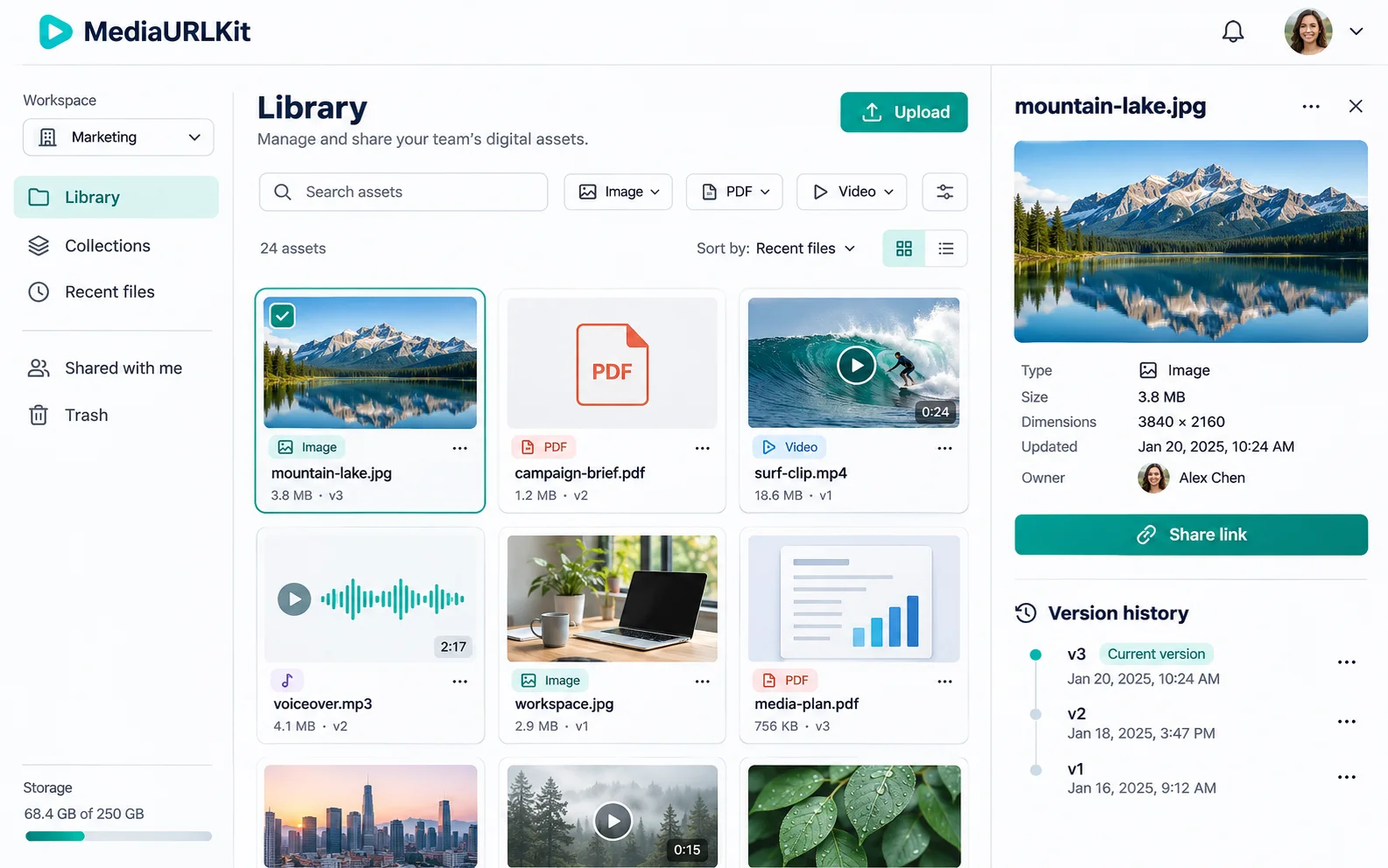
MediaToURL library dashboard concept with folders, asset search, and file version details
CENTRALIZED MEDIA LIBRARYIllustrative dashboard showing folders, search, and version details
1. Centralized Asset Management

Complete visibility and governance over your media library.

Maintain full control over your media assets across teams. Search, categorize, migrate, and collaborate without ever losing track of published direct links or breaking downstream embeds.

  • Nested Folder Hierarchies & Tags: Organize hundreds of assets into client or project folders with instant fuzzy search.
  • Multi-Tenant Team Workspaces: Shared workspace silos with role-based access control (Admin, Editor, Viewer).
  • Media Migration Engine: Ingest existing libraries from Google Drive, Dropbox, AWS S3, or Imgur with zero downtime.
  • Automated Trash & 30-Day Retention: Accidental deletions are protected with 30-day recovery and revision history.

Two teammates reviewing a shared digital asset workspace on a large screen
Team review is easier when shared assets have a clear owner and access level
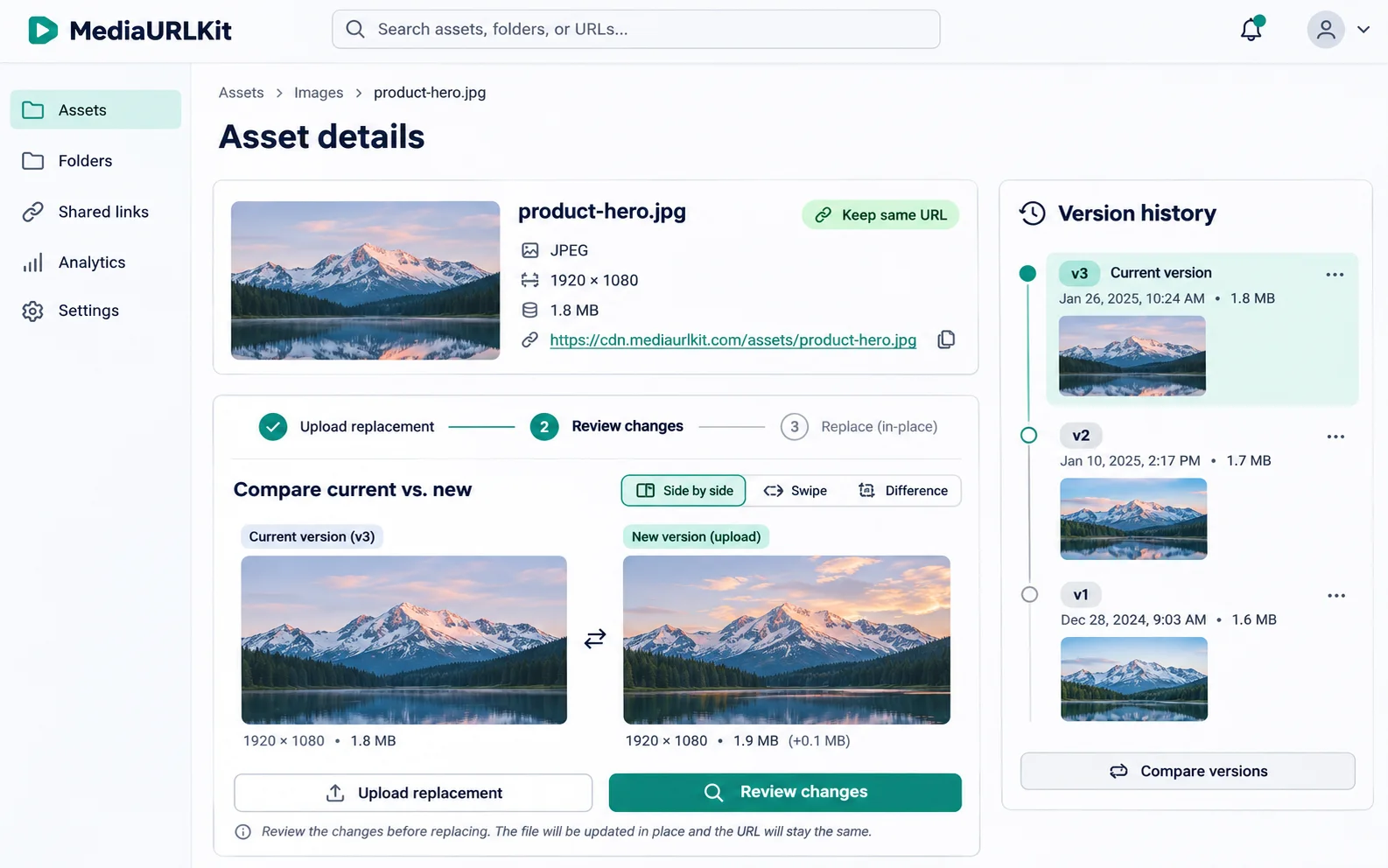
Asset dashboard concept showing a replacement file and earlier version history
Review the replacement and cache behavior before a stable URL serves new file contents
2. In-Place File Updates & URL Persistence

Keep a useful URL steady while the file changes.

A URL that is published will usually end up on product pages, help articles, email templates, and CMS records that would be very costly to go back to. This type of managed URL can allow for a consistent reference point to exist, even though the content may have changed (such as with a corrected diagram, current brochure, or revised campaign image). This type of URL should be used if the intent is to have the content remain relevant; use a versioned URL if the reader needs access to the original version of the document.

  • Keep published references intact: Existing CMS fields and embeds can continue pointing to one stable asset address when the current approved file changes.
  • Review the replacement as a change: Check its crop, dimensions, format, and meaning before publishing; the URL staying the same does not update nearby alt text or captions.
  • Plan for more than one cache: Browser, proxy, and CDN caches can serve old bytes after an origin replacement. Set revalidation or purge behavior deliberately, then check the response visitors actually receive.
  • Keep fixed records reproducible: Use a versioned filename for a release asset, signed-off proof, or archived report; use the stable address only when “latest approved version” is the intended meaning.
3. Branded Custom Domains & CNAME

Put a recognizable domain in front of media delivery.

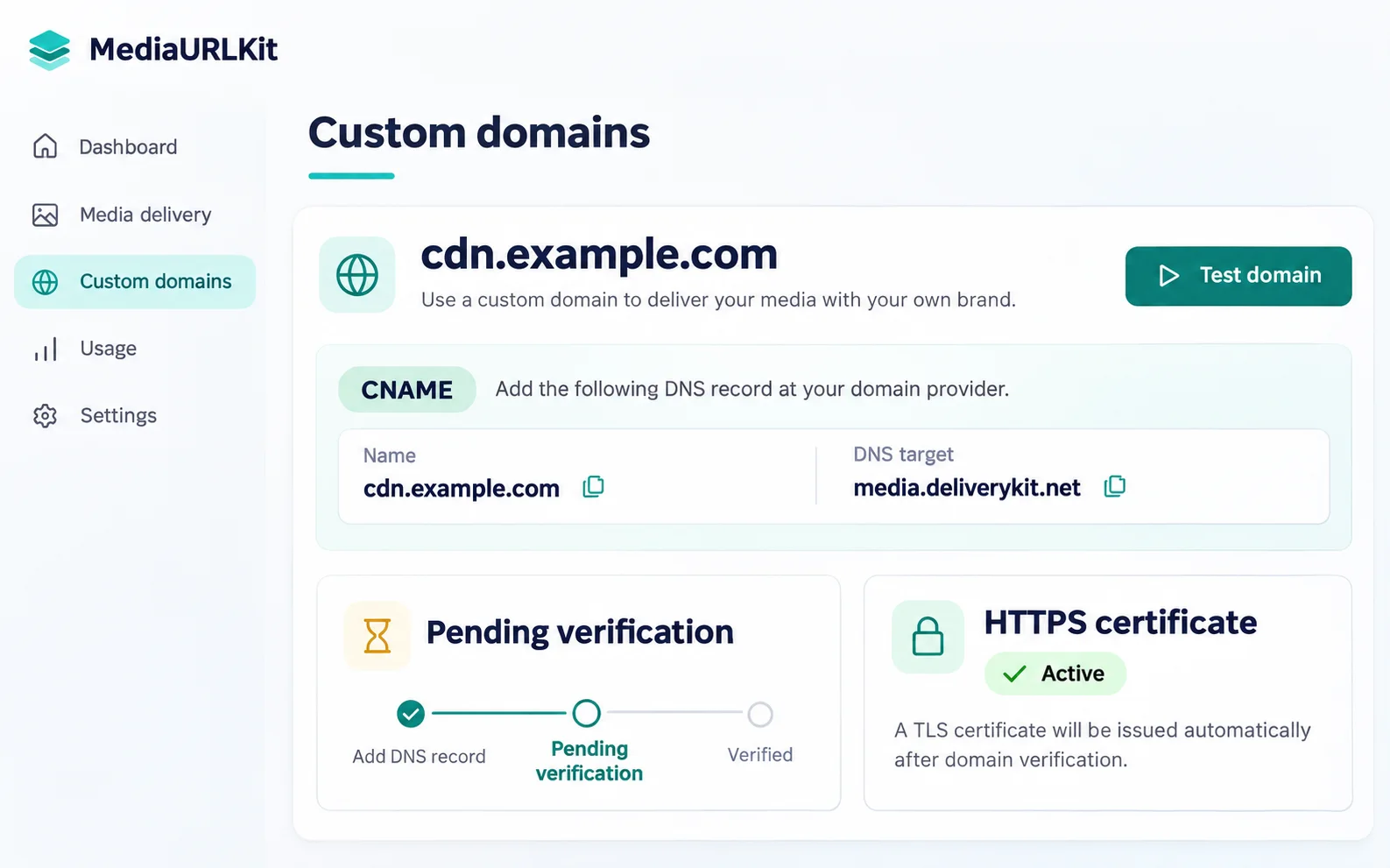
A URL (e.g., cdn.example.com) will help a team identify what server delivers images and documents. To set up this delivery system, you must have the DNS record, the delivery provider\'s hostname mapping, and an HTTPS certificate. Updating the DNS alone will not allow a server to deliver content. Subdomains are typically simpler to manage than the root domain since they can be updated without affecting the site or mail records.

  • Point a dedicated subdomain: Add the CNAME target supplied by the delivery provider, then verify that public DNS resolves to the expected hostname.
  • Confirm hostname ownership and HTTPS: The provider must map the hostname to the right delivery account and issue a certificate that covers that exact subdomain.
  • Test before changing published links: Check an image and a document over HTTPS, review redirects and content type, and keep the old host live until the new one works from outside your network.
  • Update the asset inventory: Record where the host appears in websites, newsletters, repositories, and partner feeds so the migration can be checked and reversed if needed.
Custom domain setup dashboard concept with CNAME routing and HTTPS certificate status
A branded media hostname needs DNS routing, provider mapping, and a valid HTTPS certificate
4. In-Browser Media Studios

Edit, convert and transform before or during delivery.

Manipulate images, video, audio, and documents directly in your browser or on-the-fly via edge URL parameters.

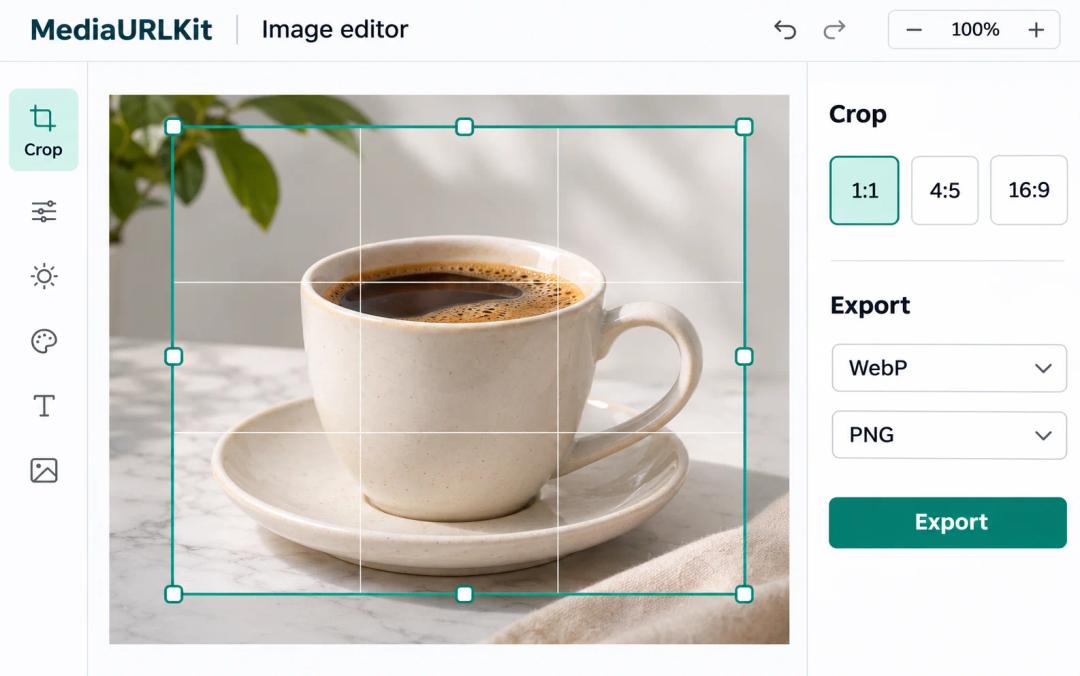
Image editor concept with crop selection, dimensions, and export controls
IMAGE STUDIO

Canvas Crop & Adjustments

Crop to 16:9, 1:1, or 4:5, adjust exposure, rotate, flip, and export web-optimized PNG/WebP files client-side.

Launch Image Studio
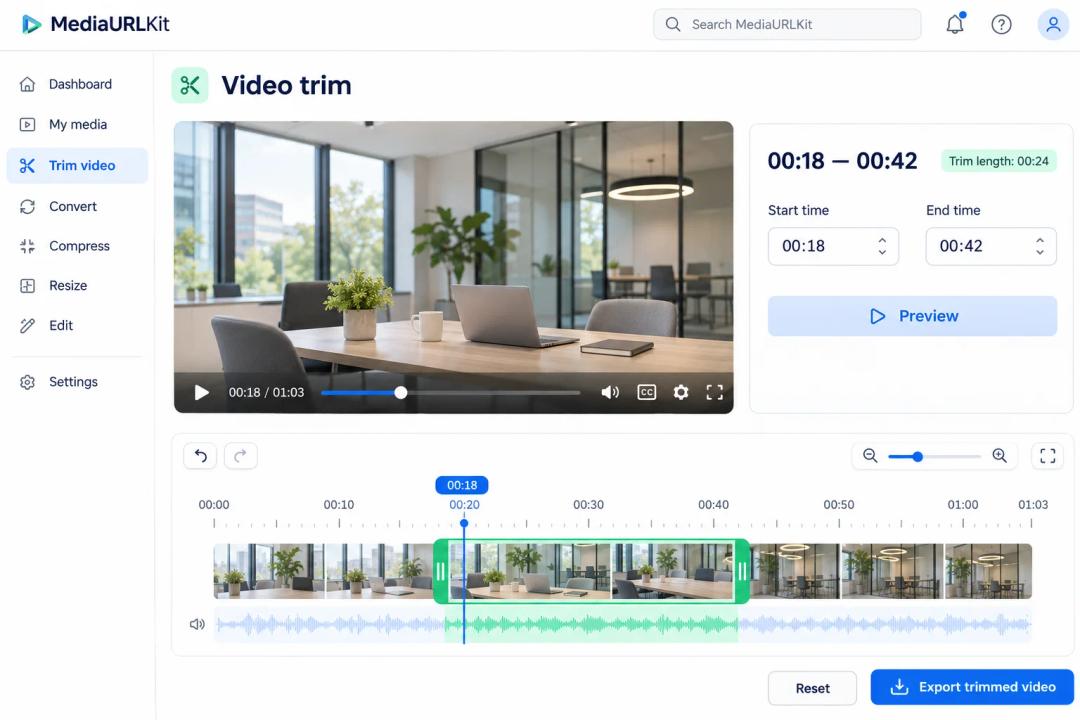
Video trimming workspace concept with preview, timeline, and selected segment
VIDEO SUITE

Video Trimmer & Audio Strip

Trim long screen recordings to key segments, extract MP3 audio tracks, and re-encode with byte-range HTTP 206 streaming.

Open Video Suite
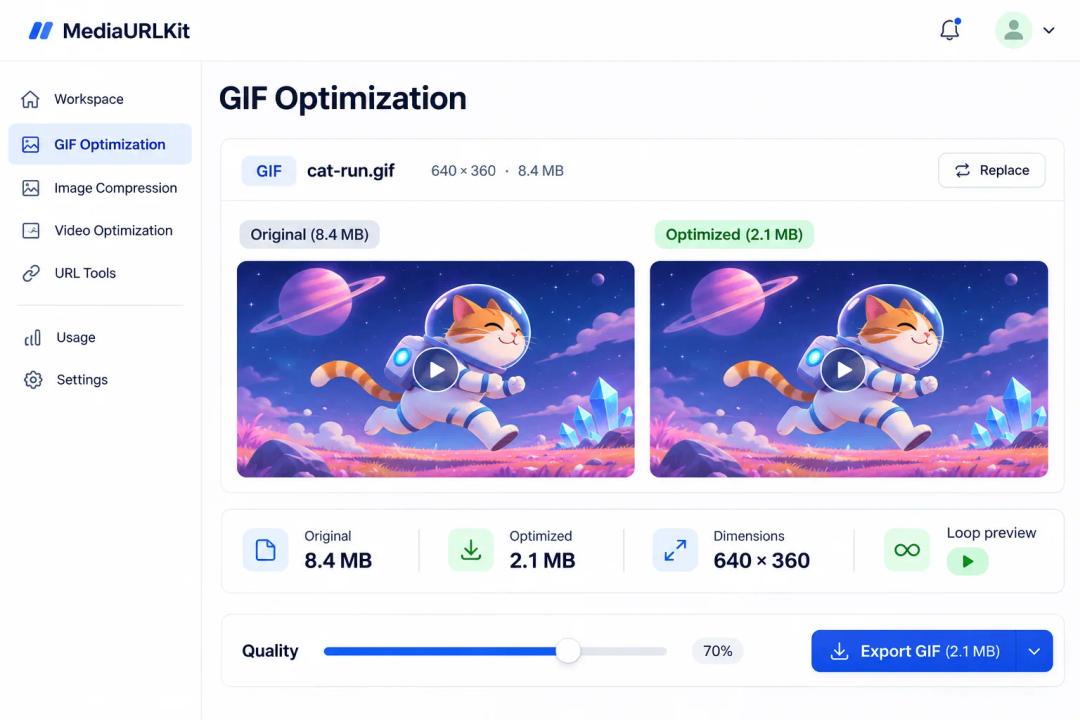
GIF optimization dashboard concept comparing original and smaller output sizes
LOOP STUDIO

GIF Optimization & Timing

Optimize frame delays, trim excess frames, adjust color palettes, and guarantee infinite loop playback.

Explore GIF Studio
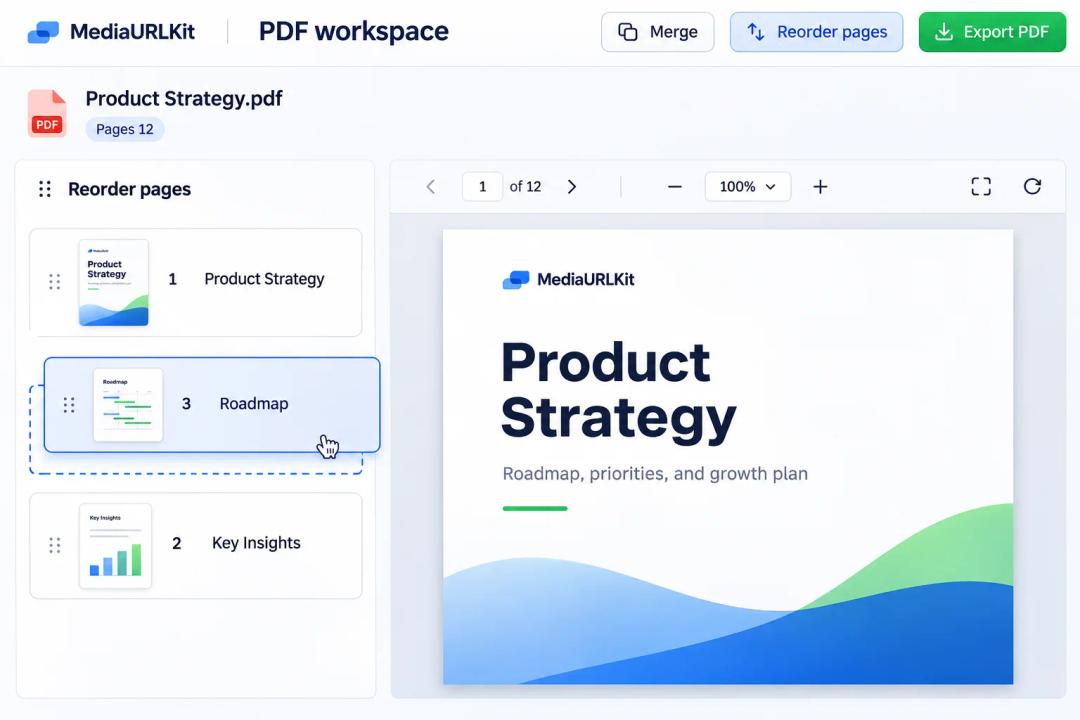
PDF workspace concept with page thumbnails, reordering, and document preview
DOCUMENT DESK

PDF Page Extraction & Viewer

Reorder pages, extract individual sheets, compress heavy documents, and generate responsive iframe embed codes.

Review Document Desk
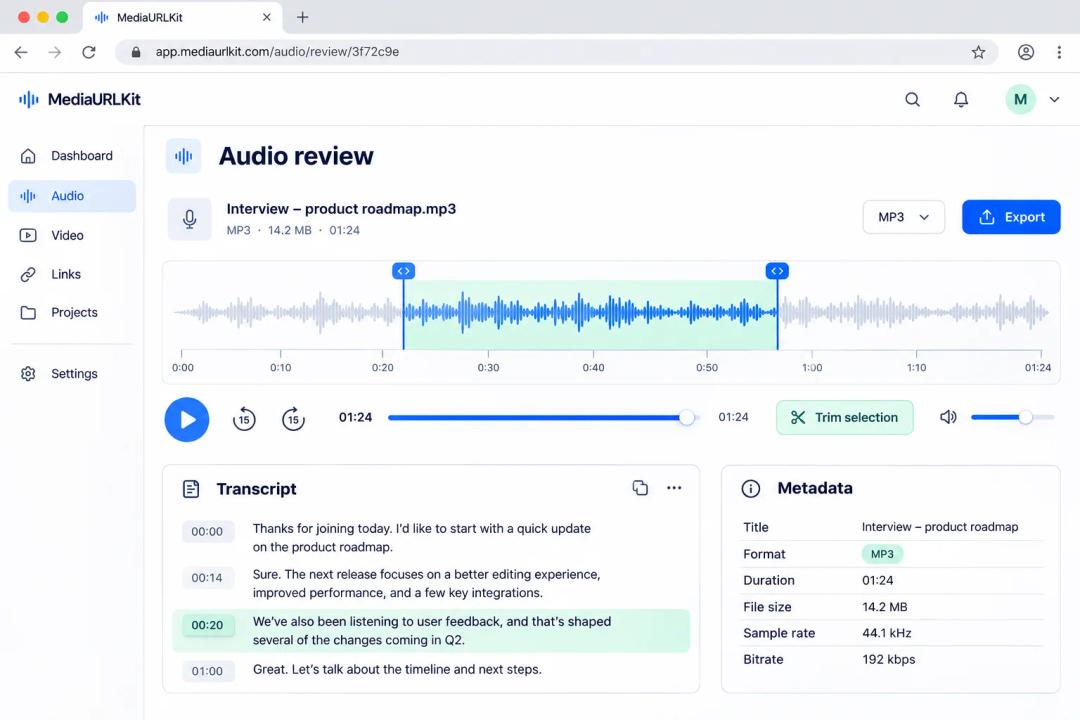
Audio review workspace concept with waveform selection and transcript details
AUDIO STUDIO

Waveforms & Speech Trimmer

Visualize interactive audio waveforms, trim speech pauses, tune sample rates, and convert voice notes into browser links.

Audition Audio Studio
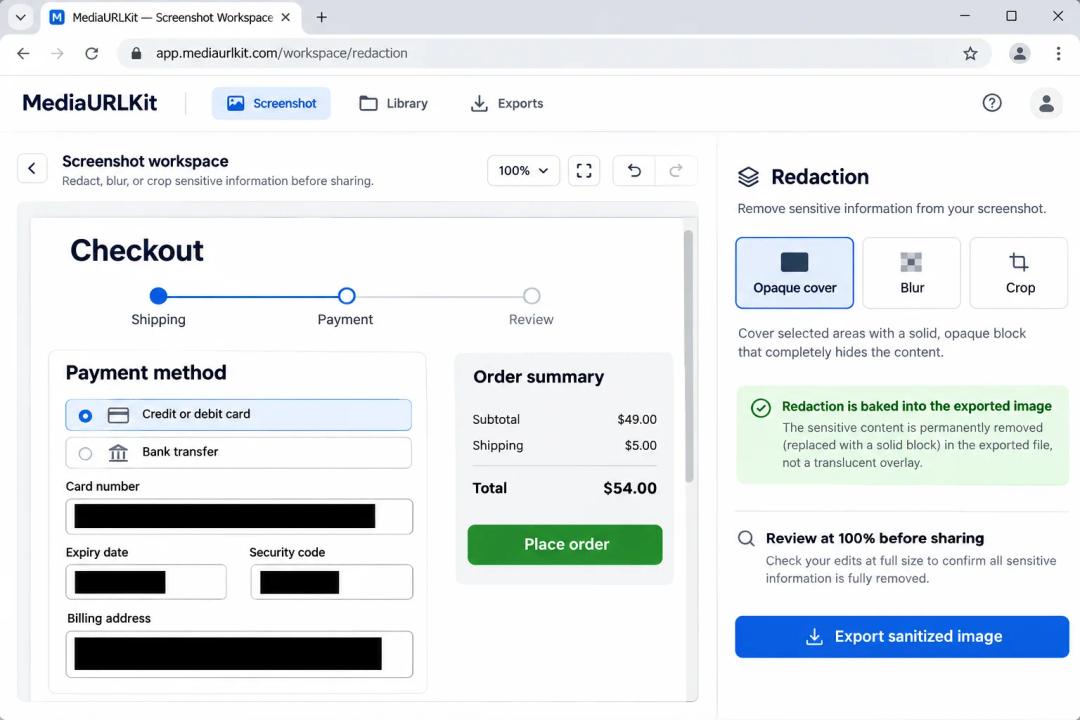
Screenshot redaction workspace concept showing opaque covers over sensitive checkout fields
CAPTURE DESK

Clipboard ⌘V & Redaction

Paste screenshots straight from your clipboard, verify Retina 2x/3x scaling, and redact confidential areas before sending.

Open Capture Desk
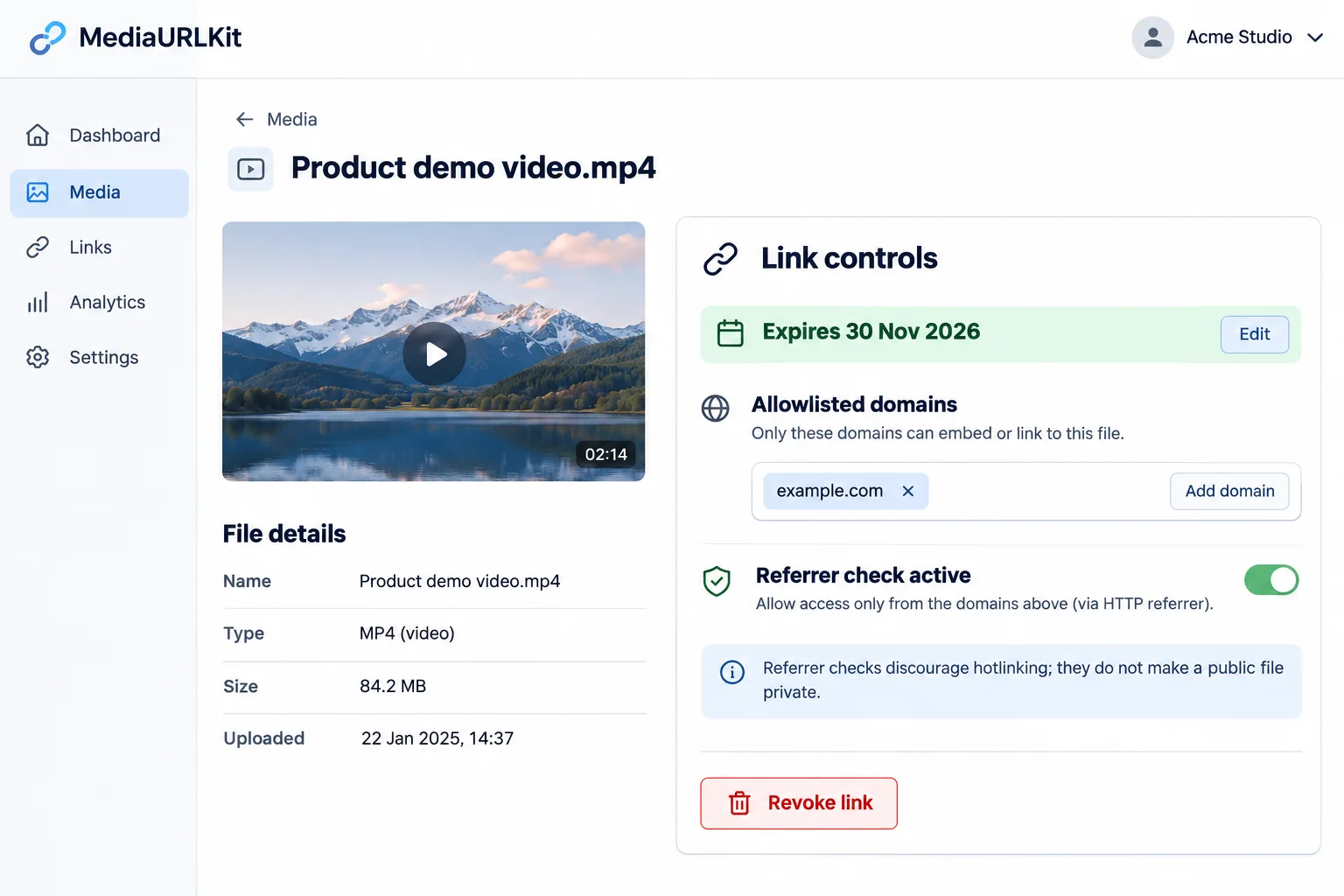
Link control settings concept with an expiry date, allowed domains, and referrer guidance
Expiry, revocation, and referrer rules each address different sharing risks
5. Granular Link Controls & Anti-Hotlinking

Match each link control to the risk it can actually reduce.

Link settings have several purposes. A public file is easy to include on your site. A limited-time link provides a clear end point for sharing a file with another user. And a referrer rule will prevent other sites from using your image. There is no one link setting that will make it impossible for people to download/copy a file once they are able to view it. Therefore, select the best option based upon how long you want people to be able to access the file, who will be accessing the file, and what could potentially happen if the file is shared.

  • Separate public delivery from a share page: A direct media URL suits an embed; a share page can provide context and a handoff surface. An unlisted URL is still a bearer link that anyone who receives it can forward.
  • Use expiry and revocation for a bounded handoff: Set a realistic access window and know how to revoke the link. Expiry cannot erase a copy a recipient already downloaded or saved.
  • Treat referrer checks as a bandwidth rule: A hostname allowlist can reduce casual hotlinking, but browser privacy policies and email or chat previews may omit the Referer header. Allow for those legitimate requests before enforcing a block.
  • Do not use an embed rule as authentication: Referrer values are not a secret and can be absent or supplied by a non-browser client. Use authenticated or signed access for material that should not be public.
6. Edge CDN & Real-Time Analytics

Sub-30ms global delivery with deep telemetry.

Deliver rich media across a globally distributed 300+ city edge network powered by Cloudflare R2, accompanied by real-time analytics.

  • Zero Egress Fees (Cloudflare R2): Unlimited transfer with zero egress fee penalties on all storage tiers.
  • Global Anycast Edge Network: Caching across 300+ global PoPs for instant TTFB and smooth video streaming.
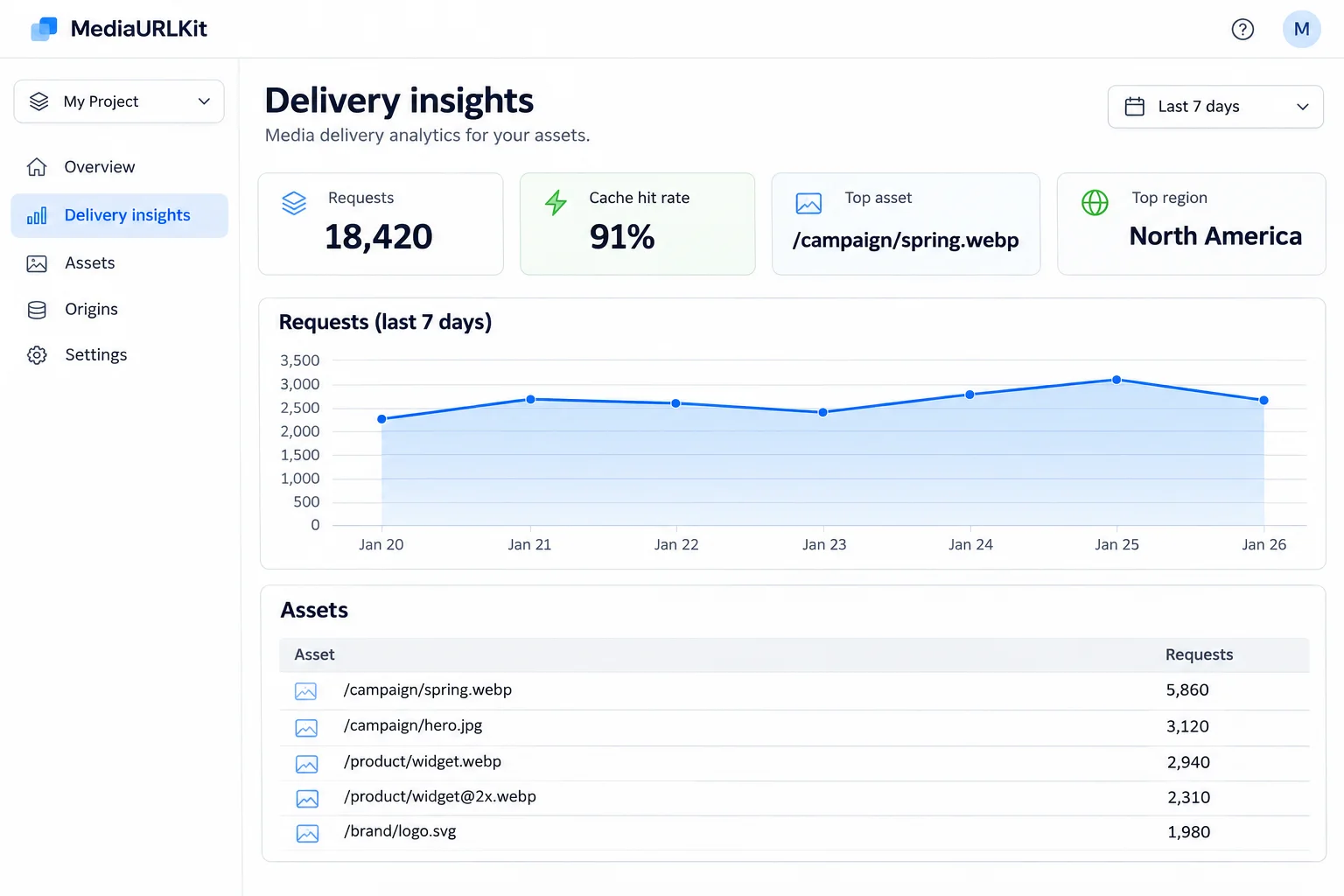
  • Real-Time Delivery Analytics: Track total views, bandwidth consumption, top referrers, geographic locations, and client devices.
  • Dynamic Content Negotiation: Automated delivery of modern AVIF and WebP formats when supported by the recipient browser.
Delivery analytics dashboard concept with request totals, cache rate, top assets, and regions
Example delivery view for comparing request volume, cache rate, and frequently requested assets
DEVELOPER FIRST INFRASTRUCTURE

Automate uploads with standard cURL, Node.js, and Python.

Generate S3 presigned URLs, query asset metadata via REST, or configure webhooks for downstream transcoding and AI workflows.

POST /api/v1/uploadHTTP 200 OK
# Programmatic direct upload via terminal
curl -X POST "https://mediatourl.com/api/v1/upload" \
  -H "Authorization: Bearer YOUR_API_TOKEN" \
  -F "[email protected]" \
  -F "visibility=unlisted" \
  -F "expires_in=7d"
Get API Access Key

Useful details

Frequently Asked Questions about Features

What changes when I replace a file at the same URL?

The reference will be the same while the data associated with it has changed; therefore, existing pages, templates, or content management system (CMS) entries do not require a different URL. It is recommended that you review the replacement prior to making it public. Even though the address remains the same, dimensions, formats, animations, and/or meanings may have altered. Also keep in mind that browsers and intermediary cache devices can continue to contain older data. Therefore, make sure to employ proper re-validation or cache-replacement behaviors and confirm what users are receiving.

What does a custom CNAME domain require?

A CNAME record can point a hostname like cdn.example.com to a delivery provider, however, DNS is not sufficient to enable delivery. A delivery provider will need to verify the hostname, route its requests to the proper account/asset, and provide a valid TLS certificate so that HTTPS can be used. When testing the new hostname keep the current hostname active and when ready to cutover the embeds use a controlled cutover process.

What happens when a share link expires or is revoked?

Requests for access to files will no longer be authorized once the expiration date has passed, or when the authorization is revoked. The revocation of the authorization will not affect files that were downloaded prior to that point in time. Additionally, if the recipient had a cached version of the file, this version will continue to exist with its own lifetime, even after the original file's sharing page expires. When creating the access window for each file, make sure it allows enough time to complete the hand-off process. Provide clear instructions to all recipients regarding the expiration of their access to files. Test how the file appears to users after the file's sharing page expires, by attempting to view the file within a new browser session.

Does a referrer allowlist make a file private?

No. A referrer whitelist can discourage other websites from embedding your public files, however, the HTTP Referer header can be absent due to browser privacy settings or page policies, and non-browser clients can create their own headers. Additionally, it could prevent legitimate previewing of your files when the referring website's domain is not included in the whitelist. Authenticate users, use signed, time limited access for access control, and consider referrer checks as a means of controlling bandwidth usage rather than as a means of protecting confidential data.

When should I keep a versioned URL instead of replacing in place?

Use a versioned URL if the page, build, legal record, or release must show exactly what was approved when it was. Use a stable mutable URL for content that will always show the most recently approved version (e.g., current prices, rotating banner). Keep a separate source/revision record so you can recreate earlier states.

When will hosted delivery features launch?

The hosted-media roll out is currently being developed. We will provide detailed information on what type of files are supported, how to verify your CNAME and get your certificate and the specific ways in which the link control behaves. Each of these features will be added to this page as they become available. (Please make sure that you have properly tested all technical parameters, HTTP headers, MIME types, and browser requirements for modern desktop and mobile browsers prior to completing the deployment process).

READY TO GET STARTED?

Explore the browser-based media tools.

Preview and edit files locally in your browser. Hosted uploads and media delivery are being prepared for rollout.